MAMBASNAKE M2 Carbon Fiber ...
WhiteGet notified when this item is back in stock


The media could not be loaded.
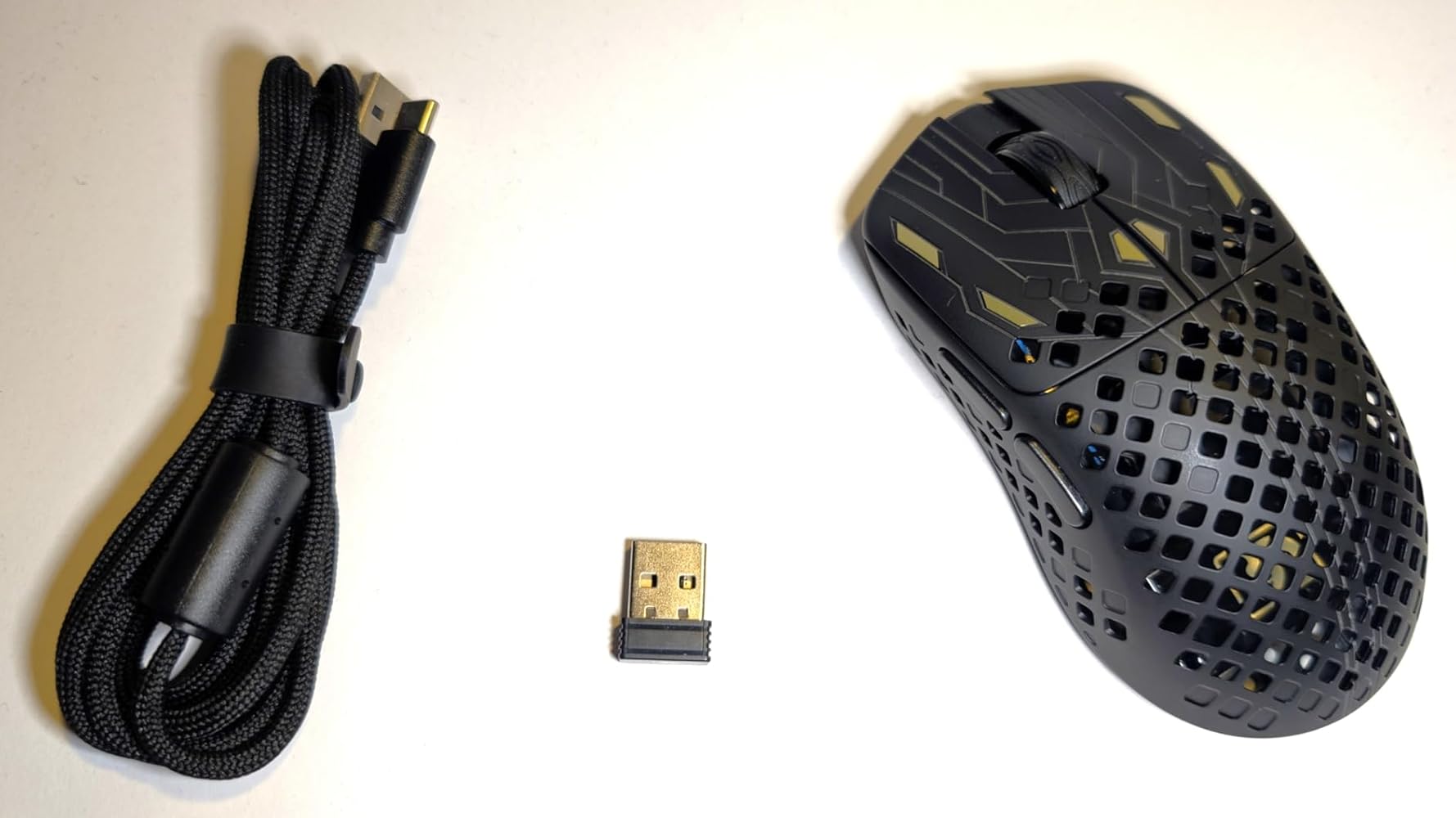
The Mambasnake M2/3395P is a sleek, functional gaming mouse that I've enjoyed using primarily for gaming.It's nicely packaged up and is well protected inside the box. Inside of the box you get the mouse itself, a nice long charging cable, a dongle (loose in a bag), and instructions.I personally decided to plug and play the mouse without first installing the Mambasnake software, and it works perfectly right away. You plug in the dongle and that's really it! It's unfortunate that there isn't a section on the mouse to store the dongle, but I understand why in an effort to save space and weight - this mouse weighs approximately 41 grams in total, and it really is very light to use, and takes some getting used to. That being said, you can also connect it via the cable or via bluetooth, which both work well.I wouldn't say it's the most ergonomic mouse around, especially for larger hands like mine, but it is quite comfortable to use. If you have smaller hands, this is going to be ideal for you. It's got 5 buttons in total - 2 on the side, 2 on top, and then one programmed into the wheel. All are very tactile, responsive and very satisfying to use.Overall, I would definitely recommend this if you're a gamer with smaller hands. It's a very responsive mouse thanks to the huge 40,000 DPI, and the tactile omron switches work incredibly well.


WOW — this wireless Bluetooth mouse is excellent in every way that matters. The first thing you notice is the design. It’s sleek, modern, and incredibly lightweight, to the point where you almost forget you’re even using a mouse. It glides effortlessly across the surface and feels natural in hand, making it comfortable for extended use without causing fatigue.What really stands out is the sensitivity. The response is extremely precise and smooth, making cursor movement feel fast and accurate without being jittery or over-reactive. Whether you’re doing everyday tasks, browsing, or more detailed work, the tracking feels consistent and refined. It reacts exactly the way you expect it to, which makes using it feel intuitive rather than distracting.The wireless connection is stable and reliable, with no noticeable lag or dropouts during use. Everything feels seamless, from movement to clicks, and the mouse performs just as well as higher‑end models while maintaining a minimal, lightweight feel.Overall, this is an impressive wireless mouse that combines comfort, responsiveness, and a clean design into one excellent product. If you’re looking for a mouse that feels effortless to use and delivers high sensitivity without bulk.


Rating: ★★★★☆Review:For starters I have upgraded from a cheap wireless gaming mouse to this mouse, and I have to say this mouse is a good upgrade for what I went from, however I have not tested enough gaming mice to give a dedicated answer whether there are better choices for the money.The box comes with the Mouse, a VERY nice braided USB C cable, and user guide. This mouse is very lightweight only weighing 41g (it does NOT feel cheap like others said) , can support wireless, blue tooth or wired (I play wired) and starts at 1200 dpi and goes to 40K dpi with the PAW3395PRO sensor! I have tested this mouse on Valorant (Diamond 2) and Warzone (blackout mode). On Valorant the mouse feels fantastic and I found myself hitting nicer shots with a smoother glide. This mouse is great for tracking, and it is light so flicks feel great, on Warzone I got a 14 kill win for the first time on mouse (I usually play controller) and tracking again is fantastic. I just have to say this mouse is fantastic with a couple of downsides listed below.Pros:- Small but not tiny- Lightweight with great glide (cloth mousepad)- Clicks are nice with no no flex- Carbon Fibre so the mouse is very sturdy and solidCons:- Downloading software was a little difficult- The side buttons and scroll wheel is missing texture which help a cheaper mouse feel more premiumVerdict :The mouse shape would be BETTER for smaller hands but my hands are medium I would say and it works pretty good for me. I would say this mouse is fantastic for the price, and I am very glad to have had the chance to try this mouse and overall I recommend you to give this mouse a try!


The media could not be loaded.
This is an excellent gaming mouse ... a REAL gaming mouse, not an office mouse dressed up in gamers clothing.Pros- PAW3395 sensor- Light- Easy to grasp- Glides well across deskmat- Bluetooth, 2.4g, wired connectivity- Soft, flexible usb cable included- Grip tape included if you don't like the holey shell as-isCons- Bluetooth can be tricky in LInux, but just use WIFI here- LED inside the mouse fully visible through the holey-shell ... it can catch your eye in a bad way. Not dangerous, but annoying.The highlight of this mouse is the sensor. The PAW3395 is a mid-range enthusiast grade sensor. I had no issues with it during my tests. Accurate 1:1 tracking, no strange inputs when picking up to reset mouse potion, and I was able to confirm its 1000 sample rate claim. Contrast this with my previous budget "gaming" mouse that requires a piece of tape over its laser to try and hack around its terrible tracking characteristics.The shell of the mouse is also great. I wasn't sure I'd like the cut-out style, but I do think it enhances my grip and the shell does not pull as much grease from my sweaty hands as my old mouse ... this makes gaming sessions more comfortable and less dirty feeling.The mouse itself is very light. I had no issues with the weight of my old mouse, but the contrast is night and day. I cannot believe I was dragging this brick around all day. This new mouse is seriously light and easily glides across my deskmatThe mouse can connect through Bluetooth, 2.4g, or wired. Bluetooth sucked, but it is serviceable to just use your computer. 2.4g and wired had very similar polling rates. Either is good. Stick with wired if you are worried about battery life. Stick with 2.4g if you need maximum mobility. Oh, and the fact that you can charge the mouse while in use is excellent and shows that there was thoughtful design.The mouse also has a DPI button on its belly, I didn't use it much ... I tend to stick with its native DPI and adjust sensitivity in game because the button usually just scales things up anyways and it more of a gimmick.My variant did not come with a coiled wire (which is useless) but instead came with some grip-tape. I don't like putting tap on my products but the general idea is that you apply it over the shell to have a flatter surface to hold onto. You can see the tape in my attached photos. I don't think it's necessary but it is a nice option for those who want it.Overall, this is an excellent choice for a gaming mouse.


I'm always on the lookout for a solid gaming mouse, so I was excited to try out this one. First impressions were that this thing is light, as in it barely weighs anything. it was actually a bit off-putting how light it was. I plugged in the included USB-C cord to charge it up. I did find that the port for the USB-C was really tight, maybe to the point where it could cause trouble if you're trying to remove it you might end up unhousing the port itself.There are a couple of different ways to connect this mouse. You can use the USB-C cable, or you can hook it up via Bluetooth to your computer. The instructions say that if you use the USB-C cable to connect directly, you'll get a pop-up telling you where to load the drivers for it, though this didn't happen when I did so. I was able to use the mouse immediately with no issues, so I didn't really worry about it too hard.There's a switch on the back that allows you to change the DPI, which affects how quickly your mouse reacts to things. I found that my comfort level was one of the lower settings, and so while I tried all of the different levels, I ended up sticking with one of the lower ones. The mouse is really responsive and easy on your hand. I think it's a fine gaming mouse. it also comes with grip tape that you can add on to the top if you're having trouble getting a grip on the mouse itself. I didn't, but I like the fact that it was an optional inclusion.if you're looking for a gaming mouse that isn't going to break the bank, I think you'll do fine with this it seems like a really solid mouse. I had no problems with it, and I'm pretty happy with it.


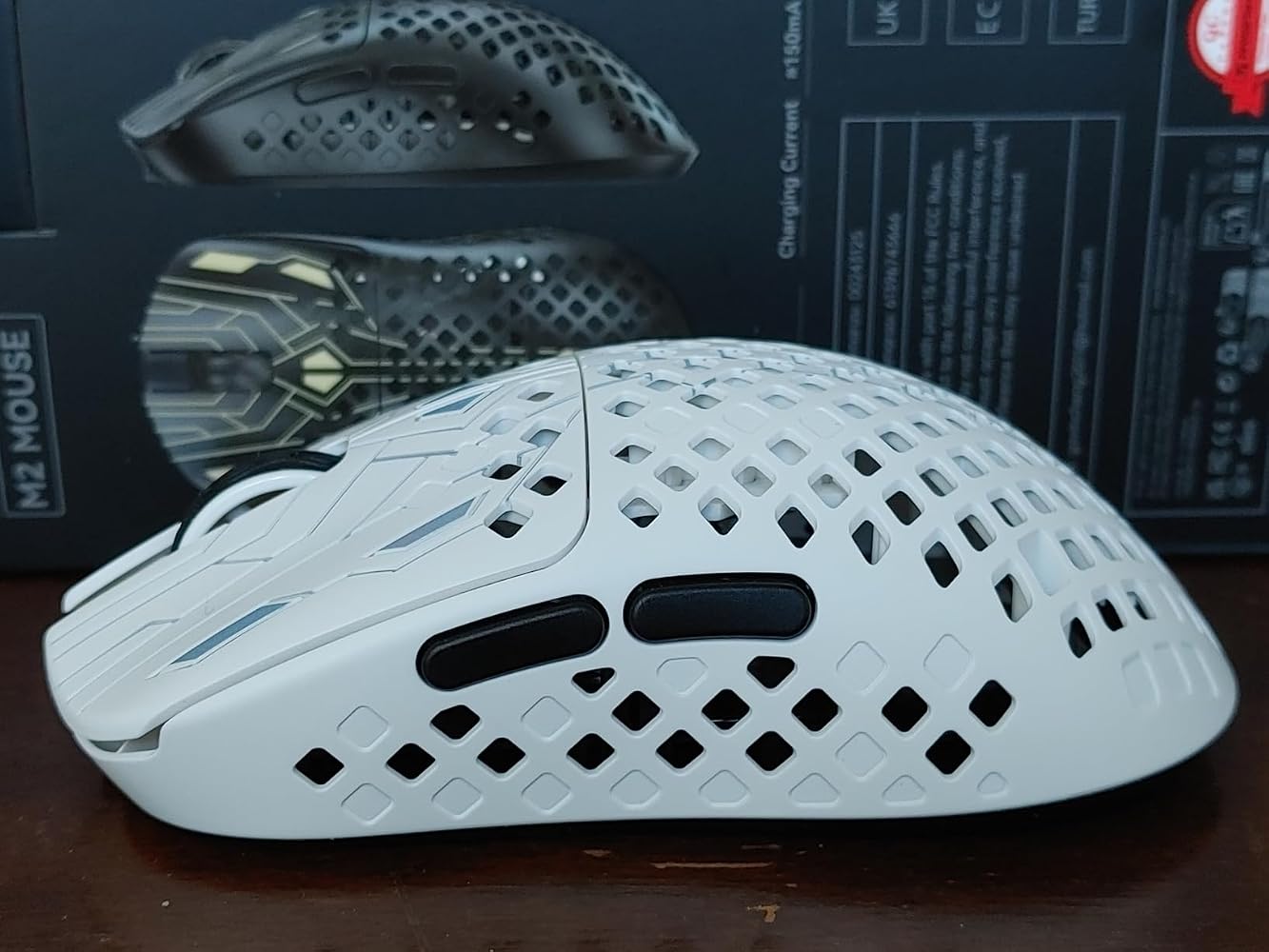
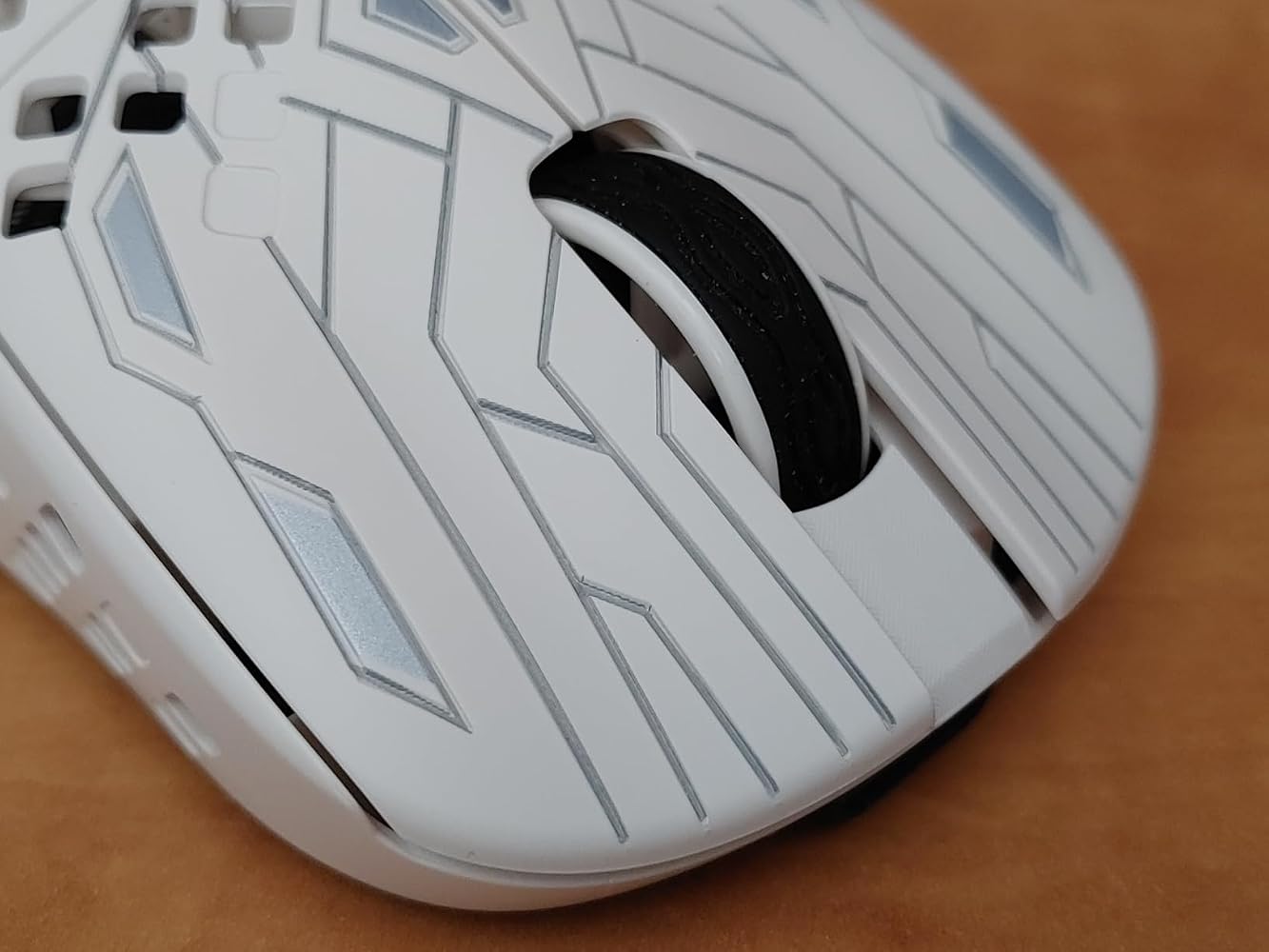
The box for this product has PAW3395 emblazoned on it. That name is apparently the optical sensor. This mouse is actually the M2, which is the name found when connecting by Bluetooth.The mouse can connect to a host by a supplied 2.4 GHz USB receiver, Bluetooth, and a provided USB cable. A USB-C port on the front of the mouse supports charging and wired functionality. The provided cable is braided and very limp like a piece of yarn. I was able substitute a different USB-C data cable as well.Three of my Linux computers and an Android phone accepted the mouse as a Bluetooth device without trouble. However, another Linux computer connected, but pairing did not occur despite the DPI button on the bottom being pressed to increase the LED blink rate and place the mouse into pairing mode. That same computer picked up the mouse on the same BT 5.4 USB receiver under Windows 10 Pro and completed Swift Pairing quickly. I discovered Debian 13 can not handle certain mouse identifiers when pairing data is received after connecting. My workaround is to pair directly -- without clicking Connect in the desktop Bluetooth manager -- when the mouse is ready to pair. The mouse starts working within a few seconds despite an unusual lack of desktop notifications about connecting and pairing.The product description mentions injection molded carbon fiber. Such material would have very short fibers mixed into plastic as opposed to a cross-weave distinguishing a sandwich of long-fiber sheets. Cut fibers are known to be visible as specks or texture on the surface, but the plastic on this mouse is completely smooth.Except for the buttons, the body of the mouse is perforated. The openings are big enough and close enough together that at the right angle with enough light, a MAMBASNAKE logo inside invites a look at the interior. Despite the mesh, the mouse is perfectly solid in the hand. Whatever plastic or carbon fiber was used, the material is more than adequately strong.The mouse I ordered is the White & griptape package. The griptape is a set of stickers with a crosshatch texture for the buttons, sides, and back edge. I prefer my mouse unadorned since adhesives eventually soften and become less sticky.The mouse is virtually seamless on the upper surfaces. Only the two main buttons, scroll wheel, and two side buttons interrupt the form. My fingers found no irksome body curve transitions from front to back nor from side to side. The buttons are designed so their panel gaps are very small and their actual edges are facing down. At the same time, the many holes in the body enhance grip. Very good flow comes to mind when I examine this mouse.The mouse is a medium size. It is longer than a small mouse and a travel mouse. The arc from front to back provides good support for the fingers and palm, unlike a non-ergonomic flat mouse. The round shape here is comfortable enough to supplant the favorite small mouse I use daily.The mouse tracking can reach extremely high speeds. The first two settings of six are suitable for office work. Fortunately, the device retains the DPI setting after it wakes up with a nudge or click. The mouse goes to sleep after 10 minutes of inactivity.The optical sensor produces no light that I can see. However, it tracks well for me on polished wooden tables, wood painted white, a matte black plastic keyboard drawer, paper, and even pants.The main buttons do not move down much when pressed, but they still provide light, positive feedback to my fingers. They are very quiet when clicked in rapid succession. The side buttons require more effort to press and make a noticeable click sound. The scroll wheel is easy to turn, makes basically no sound, and has 7 dampened stops when moving through the arc that is showing. It does not spin by itself when flicked. I can use this mouse all day for work.The comfortable material, seamless shape, reliable tracking, quiet controls, easy charging, and universal connectivity (although finnicky with one PC) make this mouse a winner for me.

I've reviewed a number of gaming mice and this one is unique because of its incredibly high dpi. At 40Kdpi, my cursor flies across my 30" 4K monitor with only a small movement. When gaming at that resolution, I have to turn the sensitivity down to almost 1% and it still feels fast. I find 800dpi to 3.2Kdpi more usable, so personally, I'm not sure on the benefit of having such a high max dpi. The mouse is lightweight, clicks feel nice, and quality is good. It responds well on my existing gaming pad, but doesn't do so well on my desk, where other mice have no issues. Overall, the mouse is decent, it looks good, connectivity is fine but despite its higher spec, it performs very similarly to a mouse that's half the price.


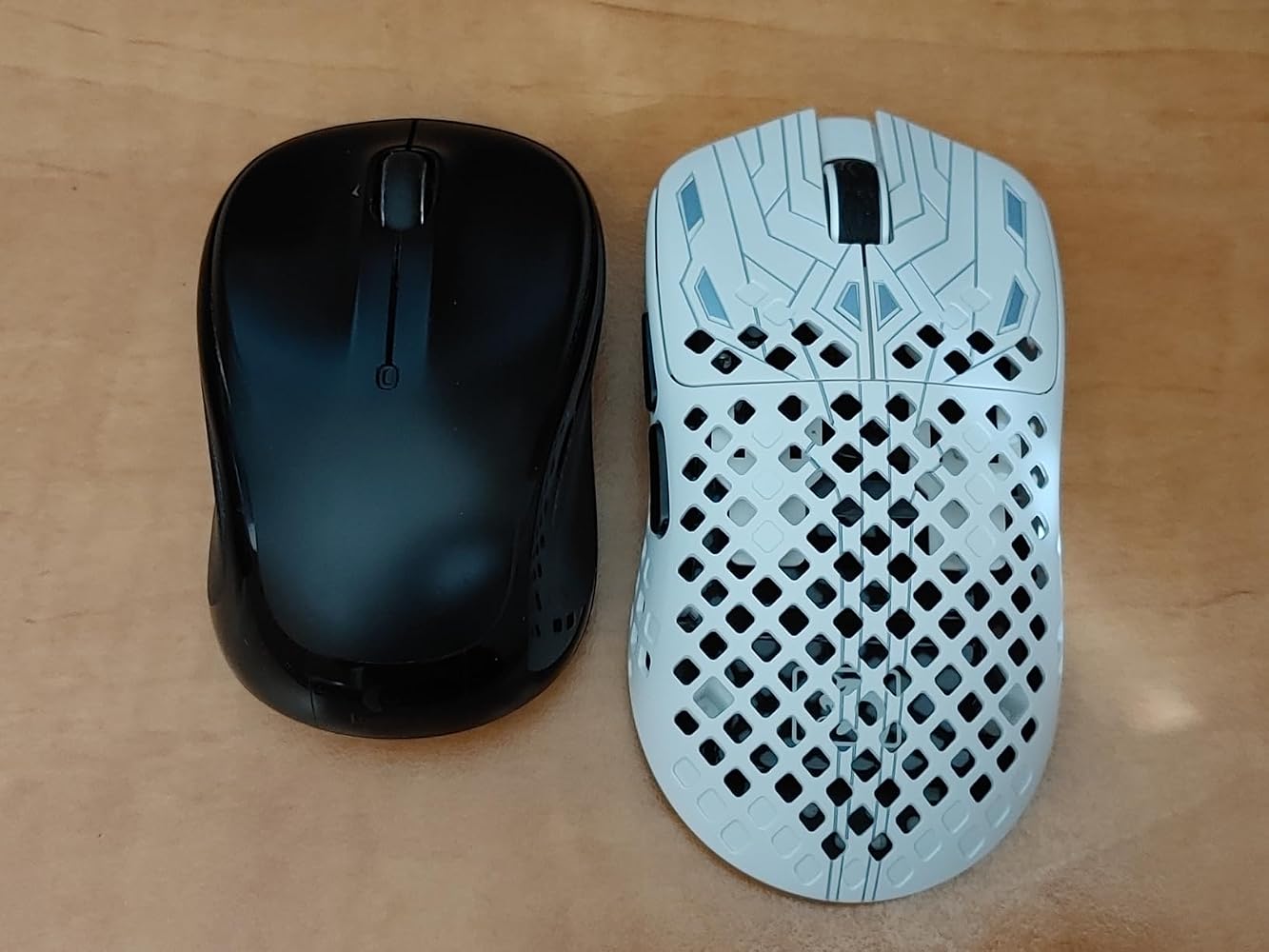
to try a new mouse because my Viper Ultimate is just a perfect fit for the size of my hand. This one is a bit smaller as you can see from the picture, so it's not as comfortable to hold with my bigger hands, however, it's a nice mouse to use.The mouse clicks are smooth and not too loud. The side buttons are a bit mushy, but work. The scroll wheel is thankfully quiet and smooth, unlike my ultimate, which has an irritating sound to it when you scroll with it.The tracking appears to be on par if not better than, my ultimate as well. Make sure you install the software so you can customize the DPI settings. I wish the software was a little better, but it works.I highly recommend this mouse for how affordable it is. Instead of buying a new one, I replaced my side grips on the ultimate because i'm rather uncomfortable with the idea of upgrading or changing to another, so this allowed me to try a new one, and glad I did.

This is such a cool mouse! Comes with a dongle & can be used via Bluetooth. It's rechargeable, came with a cable USB c. Very light weight! Frame of the mouse body is ergonomic to fit in the hand for use.


Die Maus ist extrem leicht, reagiert sehr präzise und fühlt sich trotz des geringen Gewichts hochwertig an. Kabelgebundene Nutzung ist möglich, was praktisch ist, wenn der Akku leer ist. Design und Beleuchtung wirken modern, Einrichtung ist nahezu Plug-and-Play und die Akkulaufzeit überzeugt.Plus:Ultra-leicht und sehr responsivAngenehm ergonomisch, auch für große HändeGute AkkulaufzeitHochwertiger Eindruck

Was mochte ich daran? 👍✔️ Wirkt hochwertig.✔️ Kohlefaser fühlt sich um einiges angenehmer an als Kunststoff.✔️ Gleitet SEHR smooth auf dem Mauspad, wesentlich besser als andere Mäuse, die ich bis dato nutzte.✔️ Spiralkabel ist im Lieferumfang enthalten.✔️ DPI-Button befindet sich unterhalb der Maus, wodurch es nicht versehentlich betätigt wird.Was mochte ich nicht? 👎❌ Standardmäßig hat die Maus eine Polling-Rate von 250 Hz, außerdem ist ripple control aktiviert. Somit ist man mehr oder weniger dazu gezwungen, den Treiber zu installieren.❌ Receiver lässt sich nicht im Inneren der Maus aufbewahren.❌ Die Löcher in der Maus fühlen sich... seltsam an und triggern meine Trypophobie.❌ Kaum pre-travel der Tasten vorhanden. Einerseits ist das zwar gut, andererseits fühlt sich der Druckpunkt somit sehr seltsam an.




Der Käufer bekommt einen bunten Verkaufskarton. Nach dem Auspacken geht es direkt los, da der Akku zu 60% geladen ist.Was mir gefällt:+ sehr leicht+ eher kleines Gehäuse+ 5 Tasten+ Läuft direkt nach dem Anschließen mit Windows 11. Kein Treiber notwendig.+ Brauchbare Software in deutscher Sprache (liegt nicht bei)+ Tasterreaktionszeit einstellbar.+ DPI in Software und mittels Taste unter der Maus in 7 Stufen einstellbar+ Bluetooth oder Dongle zur Auswahl+ brauchbare Grip Tapes. Mehr Profil als meine nachgerüsteten.+ für Links- und Rechtshänder+ wahlweise auch mit Kabel nutzbar.+ zwei Kabel im Lieferumfang: stylisches RGB USB-C Kabel in grau + normales, flexibles USB-C Kabel+/- nur USB 2.0 Kabel (bei 1000hz braucht diese Maus kein USB 3)+/- Maus für meine mittelgroßen Hände zu klein.+/- ausreichende 1000hzWas mir weniger gefällt:- zum perfekten Erlebnis fehlen mir noch die Glides aus Glas.Mein Fazit: für eine unbekannte Maus einer weniger bekannten Marke ist das Paket sehr stimmig, da alle aktuellen Entwicklungen einfließen. Meine Einwände sind persönlicher Natur. Ich habe jahrelang verschiedene Mäuse probiert und bin bei der größeren Razer Deathadder hängengeblieben. Mit der Razer waren die Probleme mit Sehnenscheidenentzündung und Ermüdungserscheinungen vorbei. Dennoch ist die M2 sehr konkurrenzfähig. Direkt nach dem Anschalten wird die Maus erkannt und mit der Taste auf die DPI Stufe 2 gestellt. Eine kurze Runde in mehreren Games offenbart eine Genauigkeit, die meine alten Mäuse (Lightspeed, MM710) in den Schatten stellt. Eine Wohltat war dann das Umschalten der Tastenreaktionszeit auf den niedrigsten Wert. Die Habtik mit und ohne Grip Tapes ist besser als wie bei den älteren "Loch" Mäusen. Und selbst ausgedruckte Mäuse aus dem 3D Drucker sehen ebenfalls alt aus.
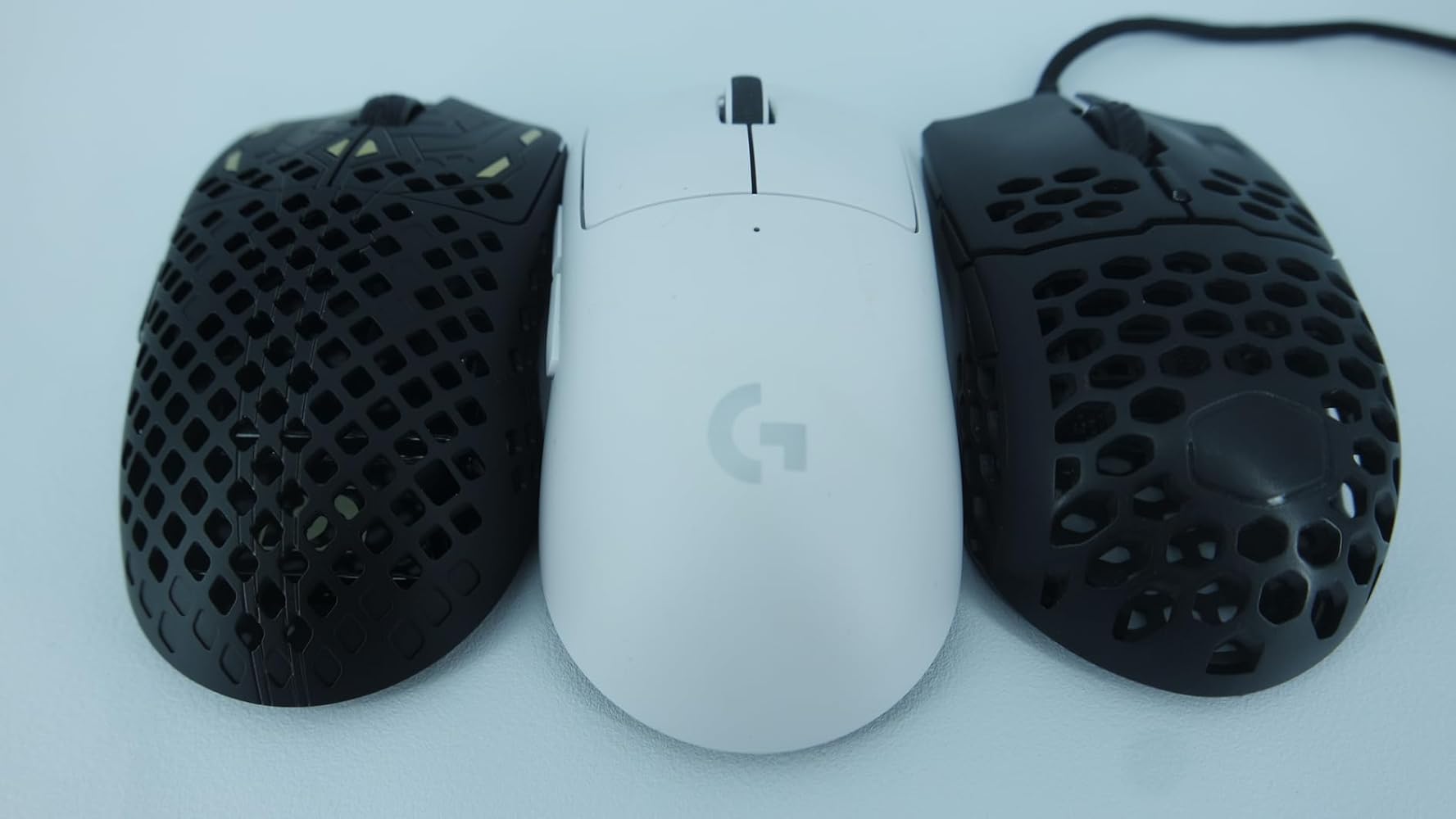


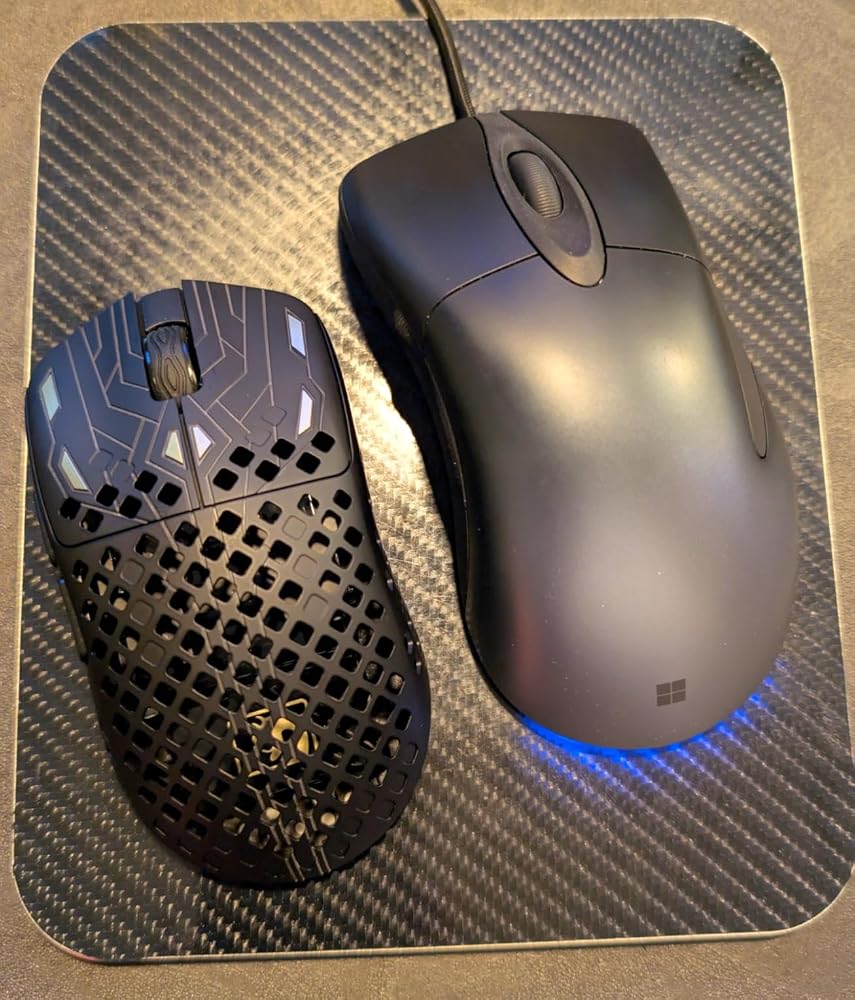
The first thing I'll say about this mouse, is that I thought it was cheap plastic when I picked it up. It weighs almost nothing and I figured it would break with any force. Wrong... this thing is sturdy. I squeezed it really hard and put a lot of weight on it and it's pretty solid (considering its hollow mesh construction).The buttons feel great and have a satisfying but quiet little click to them. The mouse wheel provides very precise and smooth scrolling. This mouse glides across my shiny hard surfaced mousepad very nicely.It's a little smaller than the Microsoft Pro IntelliMouse that I use daily, but feels every bit as accurate and quality-built.I really like that you can use this mouse with a wireless USB dongle, Bluetooth, or even plugged in to USB. Talk about options. I turned on Bluetooth and my laptop saw and connected to "M2 Mouse" instantly.The craziest thing about this mouse is the DPI selections. Each time you press the button on the bottom a color shows inside the mouse and the precision changes. I'm not sure what some of the modes are useful for because the mouse just flies across the screen, but for me, the blue LED mode is the sweet spot.I'd never heard of Mambasnake mice before (I'm not a gamer), but I'm quite impressed by the quality and feel so far. Definitely a good value for the money, considering I spent a whole lot more for my Microsoft mouse and it's not even Bluetooth.